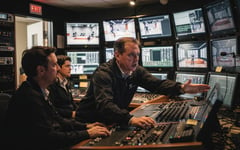

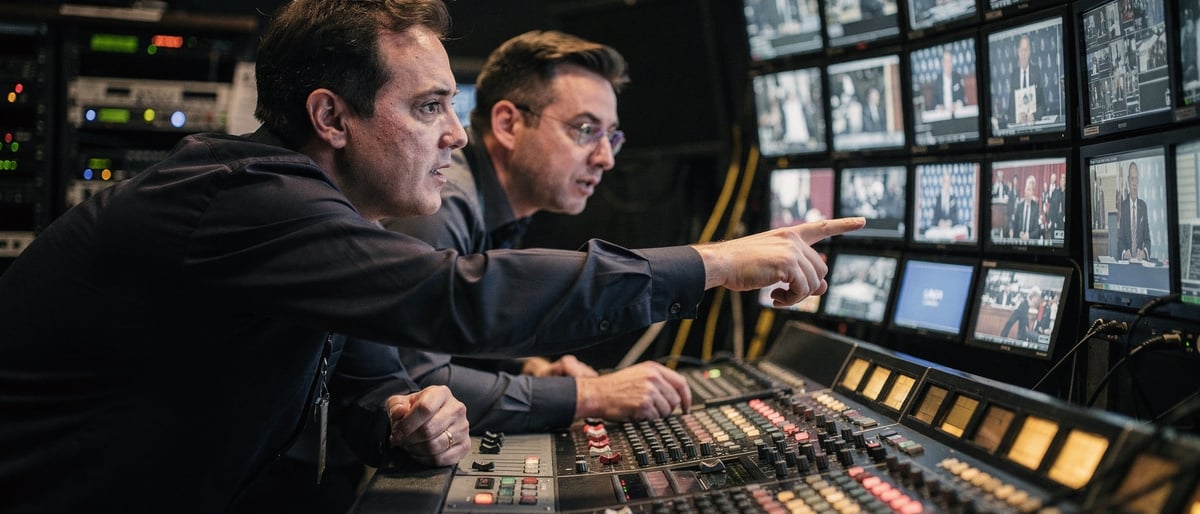
The ticker on the production desk said 14:22:07 when the stream dropped.
Two seconds of black
We had two hundred registered attendees watching a panel discussion from our virtual studio in London. The host was mid-sentence. The camera was still rolling. On the ISO recording, you can hear someone say "it's down" in a voice that carries no particular alarm, because we had been expecting this possibility since the morning briefing.
The redundancy kicked in at 14:22:09. Two seconds of black for the viewers paying close attention. The broadcast continued.
Why streams drop
A live stream is a chain with more links than any client brief ever describes. Camera feeds, vision mixer, encoding hardware, upload connection, CDN, viewer player. Any of those links can fail independently, and most of them can fail without warning.
At our virtual studios in London we run a lot of live broadcasts. Webinars, hybrid events, panel discussions, executive communications to global teams. The output looks clean because the infrastructure behind it is designed for the point where something stops working, not the point where everything is fine.
A person with a laptop and a Zoom licence runs a single chain. When a link fails without warning, the audience sees the stream stop.
A broadcast production company runs parallel systems with automatic failover, so a dropped feed becomes two seconds of black and the broadcast continues.
That is not pessimism. It is the difference between a broadcast production company and a person with a laptop and a Zoom licence.
What redundancy actually means
Most clients assume redundancy means a spare cable. It does not. Real broadcast redundancy is a set of parallel systems, each capable of carrying the full load, with automatic or near-automatic failover between them.
At the signal level, that means duplicate feeds from camera to desk, and from desk to encoder. Two separate upload paths, typically on different ISPs, so that a carrier problem on one does not kill the stream. A backup encoder running simultaneously, producing its own stream, which can be promoted to primary in seconds.
At the software level, it means monitoring dashboards watching the health of every part of the chain, with thresholds that trigger alerts before a human would notice a problem. The operator who said "it's down" at 14:22:07 had known for thirty seconds that the primary upload path was degrading. By the time the metric crossed zero, the secondary path was already promoted.
At the content level, it means a backup presenter plan, a standby graphic sequence, and a holding message ready to deploy if the worst happens and the audience sees black before the secondary kicks in. We have never had to use the holding message. We keep it current anyway.
The brief that started the conversation
The event at the top of this piece was a corporate webinar for a financial services firm. The brief included a global audience, a simultaneous interpreter feed on a second channel, and a CEO presenting live who had not done a live broadcast before.
The client asked about the studio set-up, the lighting, the virtual backgrounds, and the presenter coaching. They did not ask about redundancy. Very few clients do.
We raised it in pre-production because we raise it with every client running a live production. The infrastructure conversation is not exciting. It does not appear in the brief and it rarely comes up in the pitch. But when a stream drops and the audience notices nothing, that quiet recovery is the whole value of having the backup ready.
The CEO's broadcast went without incident. The interpreter channel ran cleanly. The audience, watching from twelve countries, saw one moment of slight buffering at 14:22:09 that most of them attributed to their own internet connection.
What a green-screen virtual studio adds to the picture
A green-screen virtual studio in London introduces one more variable in the chain: the compositing that replaces the background in real time. The presenter stands in front of chroma key, and the virtual set is mixed into the output during the broadcast itself.
That compositing layer is another link. A compositing engine that stutters produces visible artefacts on screen. The background can freeze while the presenter moves, or the keying can lose its edge under certain lighting conditions.
Both of those problems have solutions, and both solutions sit inside the same redundancy mindset. The compositing engine runs on redundant hardware. The lighting rig is designed for consistent, clean separation so the key stays reliable across the duration of the broadcast, not just at the top of the show when everything is fresh.
Physical infrastructure and compositing infrastructure are the same problem, handled the same way. Duplicate the critical paths. Monitor everything. Fail over fast.
The question to ask when you book
Before any live broadcast at a virtual studio in London, the right question to ask the production company is not "what happens if it goes well?" Almost everyone can answer that. The question is: "what is your failover plan and how fast does it execute?"
If the answer is confident and specific, involving parallel systems and measured recovery times, you have found a team that has thought about this properly. If the answer is vague or thin, ask again.
A good broadcast is one the audience remembers for the content. The infrastructure should be invisible. Keeping it invisible is the whole job.
To see our studio availability for live broadcasts, get in touch and we can talk through the setup.
Frequently asked questions
What does broadcast redundancy actually mean?
It is a set of parallel systems, each capable of carrying the full load, with automatic or near-automatic failover between them. It covers duplicate feeds, separate upload paths on different ISPs, and a backup encoder that can be promoted to primary in seconds.
Why do live streams drop?
A live stream is a chain of links: camera feeds, vision mixer, encoding hardware, upload connection, CDN and viewer player. Any of those can fail independently, and most can fail without warning.
How fast can a stream recover from a failure?
With monitored thresholds that alert before a human would notice, the secondary path can be promoted in seconds. In the event described here, viewers saw two seconds of black before the broadcast continued.
What extra risk does a green-screen virtual studio add?
The compositing layer that replaces the background in real time is another link in the chain. It runs on redundant hardware, and the lighting rig is designed for clean, consistent separation so the key stays reliable across the whole broadcast.
What should I ask a production company before booking a live broadcast?
Ask what their failover plan is and how fast it executes. A confident, specific answer involving parallel systems and measured recovery times means the team has thought about it properly.